Combat Online 2
Introduction
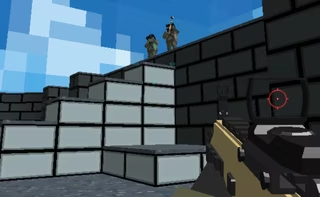
Combat Online 2 Game is a fast-paced multiplayer FPS delivering intense 3D arena battles with over 380 unique maps to conquer.
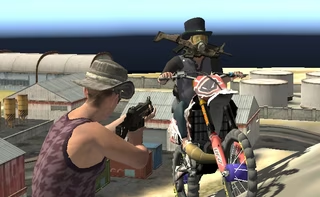
Whether navigating combat zones using the fluid parkour system or switching seamlessly between first-person and third-person perspectives, Combat Online 2 players are thrust into action-packed soldier shootouts. Team up with friends to dominate rival squads in tactical gunfights, or test your resilience against the undead in the dedicated zombie mode. Fully playable across both desktop and mobile platforms, Combat Online 2 Game combat Online 2 arena shooter lets you choose your weapon, coordinate with your team, and master hundreds of distinct battlegrounds.
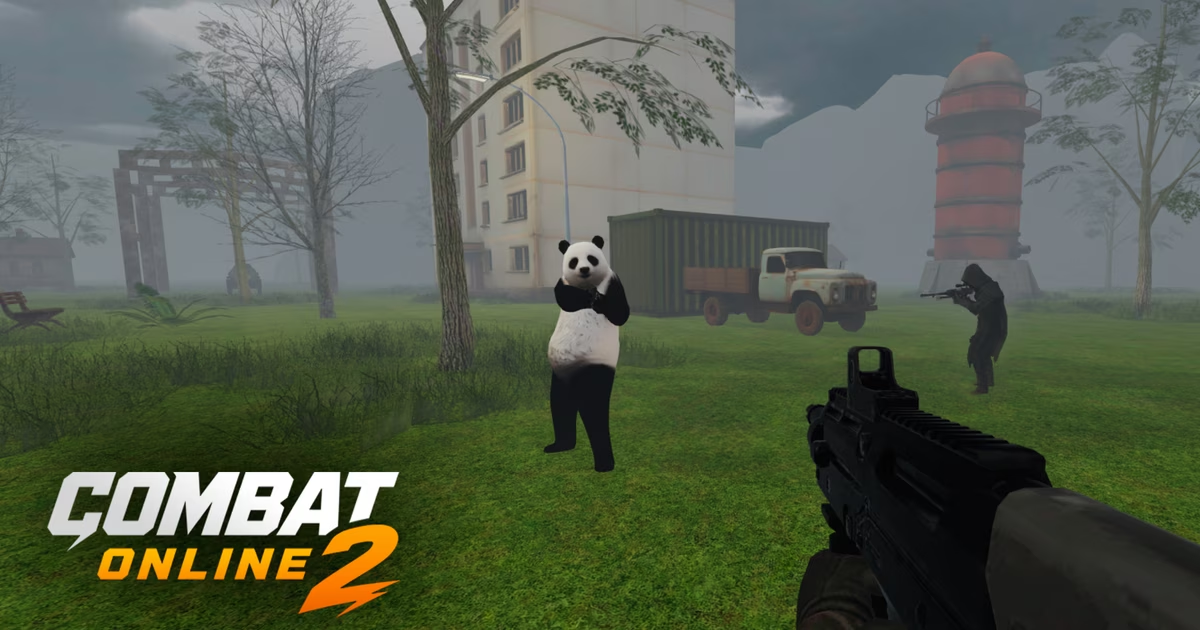
How to Play Combat Online 2
Combat Online 2 drops players into intense 3D arena battles where precision aiming, agile movement, and team coordination are key to victory. Whether competing in standard team firefights or fighting for survival in the zombie mode, mastering your controls and navigation is essential for ruling Combat Online 2 arena.
Objective and Core Mechanics
The primary objective in Combat Online 2 is to choose your weapon, coordinate with your squad, and dominate Combat Online 2 match across more than 380 unique maps. Gunplay is complemented by a fluid parkour system, allowing soldiers to jump, sprint, and maneuver quickly through complex terrain to secure advantageous firing positions. Combat Online 2 players can also adapt to various combat situations by swapping between traditional first-person shooting and a wider third-person view at any time.
Control Schemes
Combat Online 2 supports both desktop and mobile platforms with dedicated input layouts.
Desktop Controls
- Movement: Press WASD or the Arrow Keys to navigate.
- Sprint: Hold Shift to sprint across open ground.
- Jump: Tap Spacebar to jump and scale obstacles with parkour movement.
- Crouch: Press C to lower your profile behind cover.
- Aim & Shoot: Use Right Click to aim down sights and Left Click to fire.
- Reload: Press R to reload your current firearm.
- Switch Weapons: Press keys 1 – 4 to swap between available weapons.
- Grenade: Press G to toss a grenade at enemy positions.
- Toggle Perspective: Press F to switch into third-person mode.
- Dance: Press V to perform a dance emote.
- Player List: Hold Tab to check match participants and standings.
Mobile Controls
- Movement: Drag the on-screen Joystick to move.
- Combat: Tap the dedicated Shoot Button, Aim Button, and Reload Button.
- Navigation: Tap the Jump Button and Crouch Button to maneuver.
- Features: Use the Switch Camera Button to toggle perspectives and the Dance Button to emote.
Tips & Strategies for Combat Online 2
To gain an edge in fast-paced multiplayer arenas and survive intense zombie waves, new recruits must master both movement and gunplay. Here are essential tips and strategies to help you dominate the Combat Online 2 arena in Combat Online 2:
- Switch Camera Views Based on the Situation: Take advantage of the ability to toggle between perspectives (
Fon desktop or the Switch Camera button on mobile). In Combat Online 2, first-person mode provides precise aiming during direct shootouts, while third-person mode expands your peripheral vision, allowing you to peek around corners and spot incoming flankers. - Utilize the Fluid Parkour System: Static targets are easy to eliminate. In Combat Online 2, stay mobile by chaining sprints (
Shift), jumps (Spacebar), and crouches (C) to clear obstacles quickly, scale arena structures, and disrupt your enemy’s crosshair placement. - Aim Down Sights for Better Shot Accuracy: Firing from the hip can work at point-blank range, but engaging at medium to long distances demands precision. In Combat Online 2, always use Right Click on desktop or the dedicated Aim Button on mobile to steady your weapon before pulling the trigger.
- Swap Weapons Instead of Reloading Mid-Fight: Reloading (
R) takes precious seconds that can cost you a duel. In Combat Online 2, in close-quarters combat, use the1 - 4keys to quickly cycle to a secondary weapon rather than waiting out a lengthy reload animation. - Clear Chokepoints with Grenades: Don't forget your throwable ordnance. In Combat Online 2, hitting the
Gkey to lob a grenade is ideal for flushing out entrenched opponents, softening up defenders around tight corners, or creating breathing room when playing Zombie Mode. - Adapt to Map Variety: With over 380 unique maps available in Combat Online 2, battlegrounds range from open killzones to dense, maze-like corridors. Pay attention to sightlines and vertical routes on each layout so you can position yourself advantageously alongside your team.
FAQ about Combat Online 2
Can you play Combat Online 2 on mobile devices?
Yes, Combat Online 2 is playable on mobile devices. The mobile version includes dedicated touch controls featuring an on-screen movement joystick alongside dedicated buttons for shooting, aiming, jumping, crouching, reloading, dancing, and switching the camera view.
Does Combat Online 2 support both first-person and third-person perspectives?
Yes. Combat Online 2 offers both first-person and third-person gunfights. You can seamlessly switch between these camera views at any time by pressing the "F" key on desktop or tapping the Switch Camera button on mobile.
How many maps are included in Combat Online 2?
Combat Online 2 features over 380 unique maps, offering extensive arena variety for team battles and tactical engagements.
What game modes and movement mechanics are available in Combat Online 2?
Combat Online 2 features team-based arena multiplayer combat and a dedicated zombie mode. Movement is enhanced by a fluid parkour system that complements fast-paced gunfights.
What are the default keyboard and mouse controls for desktop?
On desktop, you can control your Combat Online 2 soldier using the following inputs:
- Movement: WASD or Arrow Keys
- Sprint: Shift
- Jump: Spacebar
- Crouch: C
- Shoot: Left Click
- Aim: Right Click
- Reload: R
- Switch Weapons: 1–4 Keys
- Throw Grenade: G
- Toggle First/Third-Person Mode: F
- Dance: V
- View Player List: Tab
Where to play Combat Online 2?
You can play Combat Online 2 online at fortnite-unblocked.com. Open the site in your browser and start playing right away.