Pixel Gun 3D
Introduction to Pixel Gun 3D
Pixel Gun 3D Game brings fast-paced multiplayer FPS action into a vibrant, blocky world where players fight to claim victory.
Playable directly in your web browser, Pixel Gun 3D Game drops you into competitive arenas filled with pixelated combat. Whether you are aiming to rack up the highest kill count in classic multiplayer modes or striving to be the last survivor standing in high-stakes battle royale matches, Pixel Gun 3D delivers simple yet challenging gameplay. Pixel Gun 3D players can easily join active lobbies across servers in Europe, America, and Asia, or create password-protected custom rooms to practice layouts and tactics with friends.
In Pixel Gun 3D, from tight corridors to vantage points on maps like Bridge, Castle, and Crash, success relies on map awareness and smart resource management. With limited ammunition for devastating weapons like scoped sniper rifles, shotguns, revolvers, and light machine guns, Pixel Gun 3D offers an engaging competitive arena for FPS fans.
How to Play Pixel Gun 3D
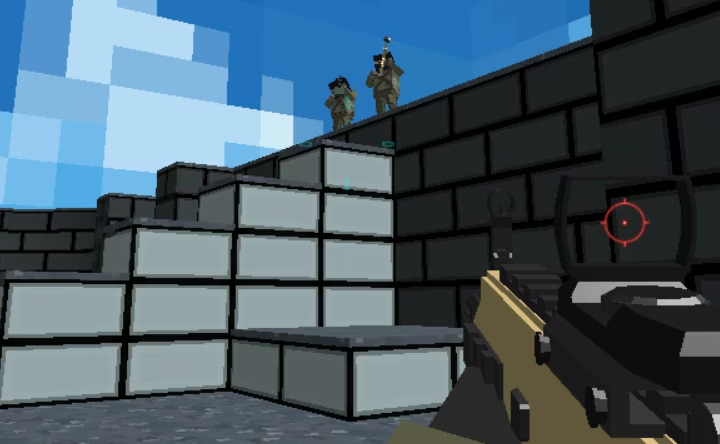
Pixel Gun 3D delivers fast-paced first-person shooter action in a vibrant, blocky world. In Pixel Gun 3D, whether you are aiming to climb the elimination count or outlast your rivals, mastering the core controls, game modes, and arena layouts is essential to securing victory.
Objectives and Game Modes
The main goal in Pixel Gun 3D depends on the game mode you choose. In standard multiplayer matches, your objective is to defeat rival pixelated characters and rack up as many kills as possible before the match concludes. For players seeking higher stakes, the Battle Royale mode challenges you to navigate the arena, eliminate opponents, and survive as the last pixelated character standing.
Starting a Match
Jumping into a Pixel Gun 3D match directly from your web browser requires just a few simple steps:
- Select a Server: Choose your preferred regional server from Europe, America, or Asia.
- Find a Room: Browse the list of open games and select an active lobby that has open spaces. In Pixel Gun 3D, each listing displays the map currently in rotation, such as Bridge, Castle, or Crash.
- Host Private Sessions: If you want to train without pressure, create a password-protected custom server to practice mechanics and explore map layouts alongside friends.
Controls Guide
Pixel Gun 3D uses standard FPS keyboard and mouse inputs:
- WASD or Arrow Keys: Move forward, backward, left, and right
- Mouse: Look around and aim
- Left Mouse Button: Fire equipped weapon
- Space Bar: Jump across platforms and pathways
- R: Reload current weapon
- Number Keys: Switch between carried weapons
Combat and Weapons
In Pixel Gun 3D, engaging enemies effectively requires careful resource management. You can cycle through several distinct firearms, including the Shotgun, Revolver, Light Machinegun, and a scoped Sniper Rifle for distant targets. Because ammunition is limited, make every shot count and use high ground—such as the central span on the Bridge map—to catch enemies off guard from above.
Tips & Strategies for Pixel Gun 3D
In Pixel Gun 3D, to help you gain an edge in competitive multiplayer matches and survive intense firefights, keep these essential strategies in mind:
- Conserve Your Ammunition: Ammunition is strictly limited in Pixel Gun 3D. Avoid holding down the left-click fire button indiscriminately with rapid-fire weapons like the Light Machinegun. Line up your crosshairs carefully, and consider precision weapons like the Revolver or scoped Sniper Rifle to maximize damage per round.
- Control Elevated Map Positions: Take advantage of high ground whenever possible. In Pixel Gun 3D, on maps such as Bridge, climbing up to the central bridge structure provides a dominant vantage point, allowing you to easily spot and snipe opponents running along the ground below.
- Swap Weapons Instead of Reloading Mid-Fight: In Pixel Gun 3D, if your magazine runs dry during a close-range skirmish, pressing the number keys to switch instantly to another weapon—such as swapping from a Shotgun to a Revolver—is often faster than pressing R to reload.
- Hone Your Skills in Private Matches: Take advantage of the Pixel Gun 3D server creation feature by setting up a password-protected room. This allows you to explore the layouts of maps like Castle, Crash, and Bridge at your own pace and practice shooting mechanics with friends before joining public lobbies.
- Prioritize Survival in Battle Royale: In Pixel Gun 3D, while standard multiplayer lobbies reward aggressive play to rack up the highest kill count, Battle Royale demands a different mindset. Conserve your health and ammo, monitor open pathways, and only engage when you have a clear tactical advantage to ensure you are the last character standing.
- Use Jumping for Evasive Movement: Don't remain stationary during shootouts. In Pixel Gun 3D, incorporate the Space bar to jump and maneuver using the WASD keys while engaging targets. Adding vertical movement makes you significantly harder to hit, especially against opponents aiming with scoped sniper rifles.
- Pick the Closest Server Region: In Pixel Gun 3D, when starting a game, make sure to select the server location closest to your real-world region (America, Europe, or Asia). Joining a local server ensures smoother first-person controls and accurate hit registration during fast-paced gunfights.
FAQ about Pixel Gun 3D
On what platform can you play Pixel Gun 3D?
Pixel Gun 3D is available as a free online game playable directly within your web browser.
What game modes are available in Pixel Gun 3D?
In Pixel Gun 3D, the game features standard multiplayer action where players choose a blocky character and compete to rack up the most kills, as well as a battle royale mode where the goal is to be the last pixelated character standing.
What are the controls for Pixel Gun 3D?
Pixel Gun 3D uses standard FPS keyboard and mouse controls:
- WASD or Arrow Keys: Move
- Mouse: Aim
- Left Mouse Button: Shoot primary weapon
- Space Bar: Jump
- R: Reload
- Number Keys: Switch weapons
What weapons can you use in Pixel Gun 3D?
In Pixel Gun 3D, players can select from a variety of pixelated firearms, including a Shotgun, a Sniper Rifle with a scope, a Revolver, and a Light Machinegun. Keep in mind that ammunition is limited, so shots must be placed carefully.
Can you create private matches to play with friends?
Yes. When setting up a Pixel Gun 3D match, players have the option to host their own custom server secured with password protection. This allows you to practice alongside friends on maps like Bridge, Castle, or Crash before taking on opponents in public regional servers across Europe, America, or Asia.
Where to play Pixel Gun 3D?
You can play Pixel Gun 3D online at fortnite-unblocked.com. Open the site in your browser and start playing right away.