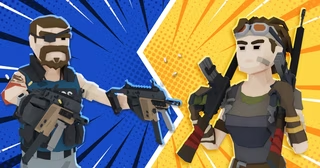
Sure Shot
Introduction
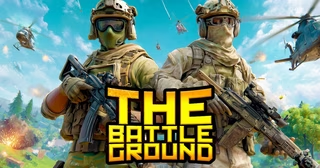
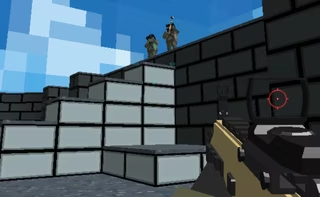
Sure Shot Game is an intense 3D browser FPS where soldiers plunge into modern warfare to battle special ops teams across the globe.
Developed by oneru220—the creator behind Free Rally 2—this tactical shooter drops Sure Shot players straight into the madness of active combat zones. Competitors can coordinate with friends in team deathmatch to establish global squadron supremacy, or venture out alone in free-for-all skirmishes across a selection of large-scale maps. With realistic visual effects and a straightforward objective to defeat as many opponents as possible for the Sure Shot Game match's top score, Sure Shot offers immediate military action directly in your web browser.
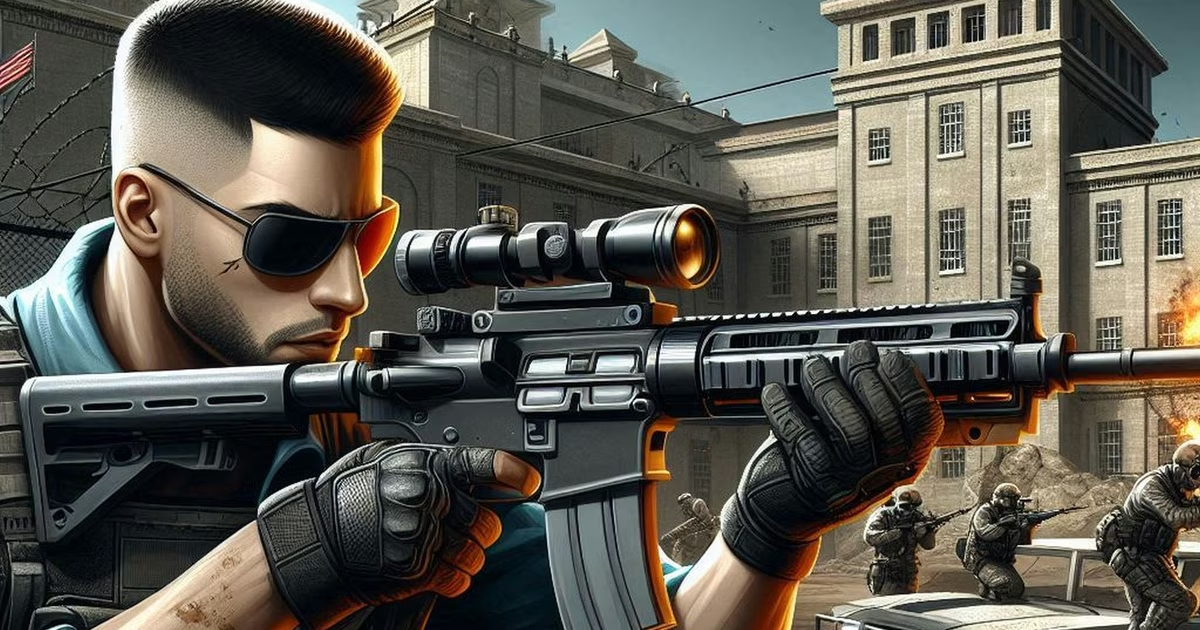
How to Play Sure Shot
Stepping onto the battlefield in Sure Shot requires sharp reflexes, tactical movement, and accurate shooting. Whether dropping into combat alongside a squad or fighting as a lone operative, mastering the fundamental mechanics and controls is essential for dominating the Sure Shot arena.
Game Objectives and Modes
The primary goal across all game modes in Sure Shot is straightforward: eliminate as many enemy combatants as possible to achieve the highest score. Sure Shot players are deployed onto expansive 3D maps designed for varied tactical engagements. You can tackle the warfare in two distinct ways:
- Team Deathmatch: Team up with friends to take down an opposing special ops squad through coordinated strikes.
- Free for All: Enter the fray alone, where every soldier on the Sure Shot map is a hostile target in a pure test of survival and marksmanship.
Combat Mechanics and Controls
Navigating the terrain and managing your loadout efficiently will keep you alive during heated firefights in Sure Shot. Keep your weapons loaded and utilize battlefield resources whenever your health or ammunition runs low.
- Movement: Use the WASD or Arrow keys to move across the Sure Shot map. Press Shift to sprint toward objectives, tap Space to jump over obstacles, and press C to crouch behind cover to present a smaller target.
- Shooting and Weapons: Aim and press the Left Mouse Button (LMB) to fire your weapon. Switch between available firearms using number keys 1, 2, 3, and 4, and press R to reload during lulls in combat.
- Interactions and Supplies: Press E to pick up items from the ground and F to interact with elements in the Sure Shot environment. If you find yourself in dire need of supplies, press H to spawn medicine to heal your soldier, or press J to spawn extra ammunition.
- Pause/Settings: Press P at any time to open the in-game menu.
Tips & Strategies for Sure Shot
Dominating the Sure Shot battlefield in Sure Shot requires sharp reflexes, smart positioning, and effective control management. Keep these essential tips in mind to climb the scoreboard:
- Keep Yourself Supplied with Instant Spawns: Firefights can drain your health and ammunition quickly. Remember that you can press H to spawn medicine to recover your health and J to spawn ammo so you never run dry during prolonged skirmishes across the Sure Shot map.
- Switch Weapons Instead of Waiting on Reloads: In high-intensity encounters, reloading your weapon (R) can take precious seconds you do not have. Instead, use number keys 1, 2, 3, and 4 to quickly cycle to another firearm and finish off your target.
- Reload Proactively During Quiet Moments: While mid-combat reloads are dangerous, entering an engagement with a half-empty magazine is equally risky. Tap R to top off your weapon whenever you find safe cover between battles.
- Stay Mobile Across Expansive Maps: The Sure Shot battlegrounds are large, leaving stationary Sure Shot players vulnerable to distant fire. Hold Shift to sprint between covered positions, and combine running with jumps (Space) and crouches (C) to make yourself a much harder target to hit.
- Scavenge the Field: Keep an eye out for gear scattered across the Sure Shot arena. Utilize the E key to pick up items and F to interact with elements in the Sure Shot environment to maintain your tactical advantage.
- Tailor Your Playstyle to Sure Shot Mode: Your strategy should shift depending on whether you are deployed in Team Deathmatch or Free for All. In Team Deathmatch, coordinate with your squadmates to overwhelm enemy soldiers, while in Free for All, maintain constant 360-degree awareness and focus on securing solo eliminations to finish with the top score.
FAQ about Sure Shot
What game modes are available in Sure Shot?
Sure Shot features two primary multiplayer game modes: Team Deathmatch and Free for All. In Team Deathmatch, you can team up with friends to take on an opposing special ops squad, while Free for All pits you against every other player on your own. In both modes, the main objective is to eliminate as many opponents as possible to secure the highest score.
Who developed Sure Shot?
Sure Shot was developed by oneru220, the same developer behind the game Free Rally 2.
What platform is Sure Shot playable on?
Sure Shot is designed as a 3D browser-based title, meaning you can play it directly through your standard web browser without needing to download a standalone client.
How do you heal and get more ammunition in the game?
While playing on the battlefield in Sure Shot, you can quickly supply yourself by using the dedicated hotkeys: press H to spawn medicine to restore your health, press J to spawn ammo, and use the E key to pick up items on the map.
What are the basic movement and combat controls?
Movement in Sure Shot is handled via the WASD or arrow keys, paired with Shift to sprint, Space to jump, and C to crouch. For combat, use the Left Mouse Button (LMB) to shoot, R to reload, and number keys 1–4 to switch between available weapons. You can also press F to interact with objects and P to access the in-game menu.
Where to play Sure Shot?
You can play Sure Shot online at fortnite-unblocked.com. Open the site in your browser and start playing right away.